
Meshtastic
The larger, longer-running one. Every radio helps.
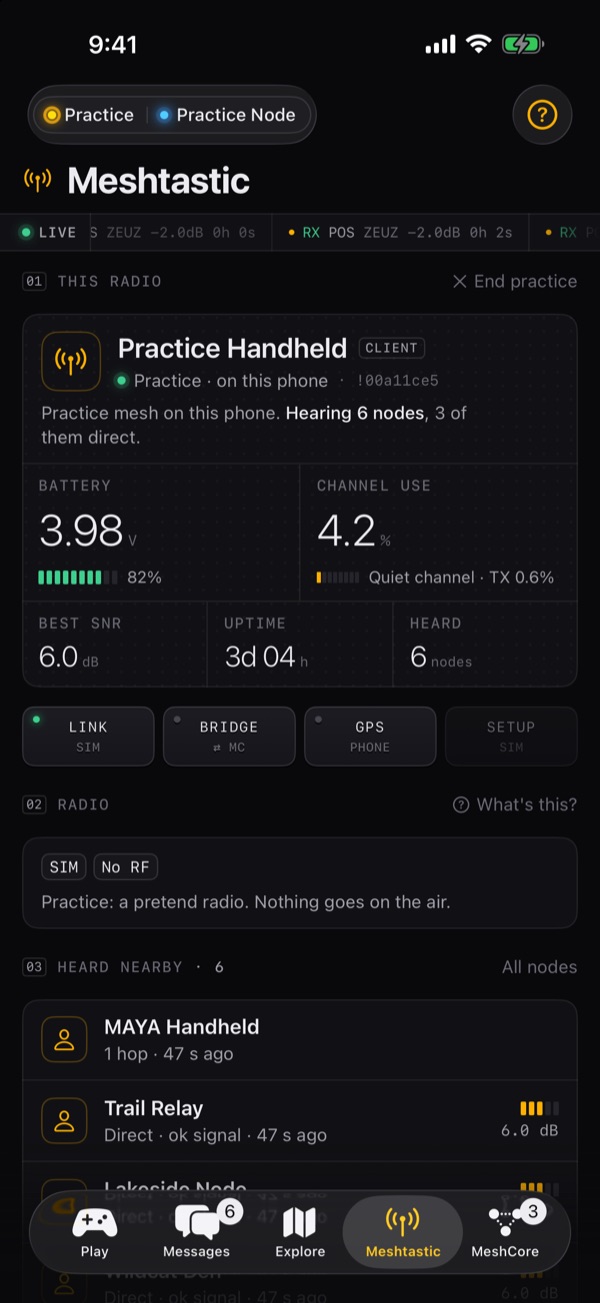
Each node repeats what it hears, up to a hop limit (3 by default), so a few friends' radios make a mesh all by themselves. It runs on lots of boards and has a big community.
 Wildcat Mesh
Free on the App Store
Messages, nodes and maps for both networks. Games like Fox Hunt that get you outside. A bridge that carries messages between the two. No cell service, no internet, no account.
NewVersion 1.1
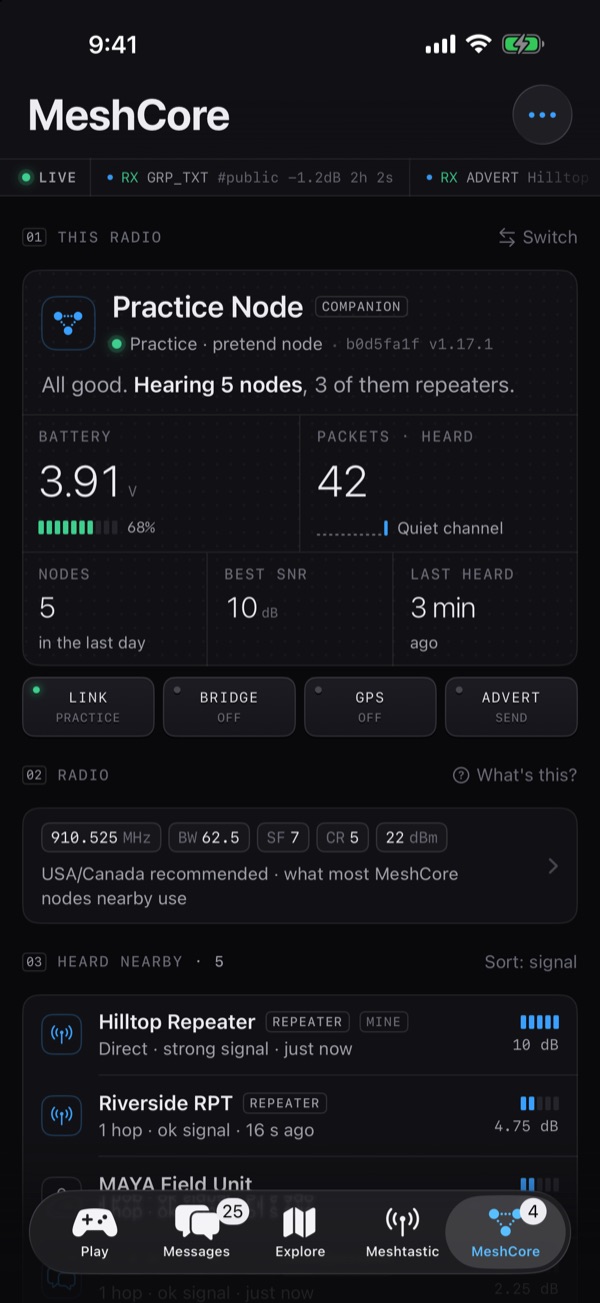
Switch Meshtastic nodes and Messages switches with it. Earlier radios' chats stay on your phone and stay readable, even while a node is disconnected.
Tap Check for updates and Wildcat compares each node's firmware with the latest official Meshtastic and MeshCore releases, on your iPhone. It only checks when you tap, and nothing about you or your radios is sent.
01The networks
Small, low-power radios that pass text messages to each other, radio to radio. Every radio you add stretches the network a little further. No cell towers, no Wi-Fi, no internet and no monthly bill.
There are two big networks built on these radios. They do the same job in different ways:
The larger, longer-running one. Every radio helps.
Each node repeats what it hears, up to a hop limit (3 by default), so a few friends' radios make a mesh all by themselves. It runs on lots of boards and has a big community.
Newer and leaner. Repeaters do the forwarding.
The radio you carry (a companion) never repeats. Repeaters, ideally up high, pass messages on. The first message to someone floods out; after that it takes the route it learned, so busy meshes stay quieter.
| At a glance | Meshtastic | MeshCore |
|---|---|---|
| Who passes messages on | Every node, by default | Repeaters and room servers only |
| How a message finds you | Rebroadcast hop by hop, up to the hop limit | Floods the first time, then follows a learned path |
| Longest message | 200 bytes | 133 bytes |
| Talks to your phone | Bluetooth | Bluetooth (Companion firmware) |
| Colour in Wildcat | Amber | Blue |
The two networks can't hear each other: different radio settings, different packets. Put a Meshtastic radio and a MeshCore radio side by side and they won't swap a word. Wildcat connects to one of each at the same time, and the bridge lets your phone carry a private channel across.
02Both networks
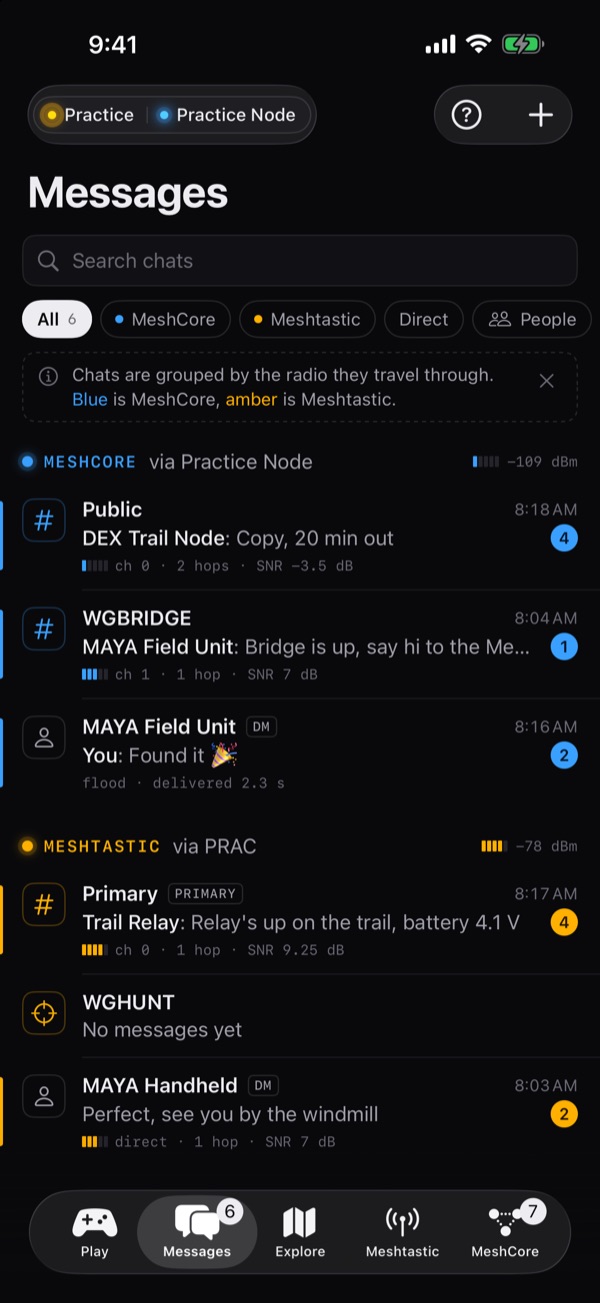
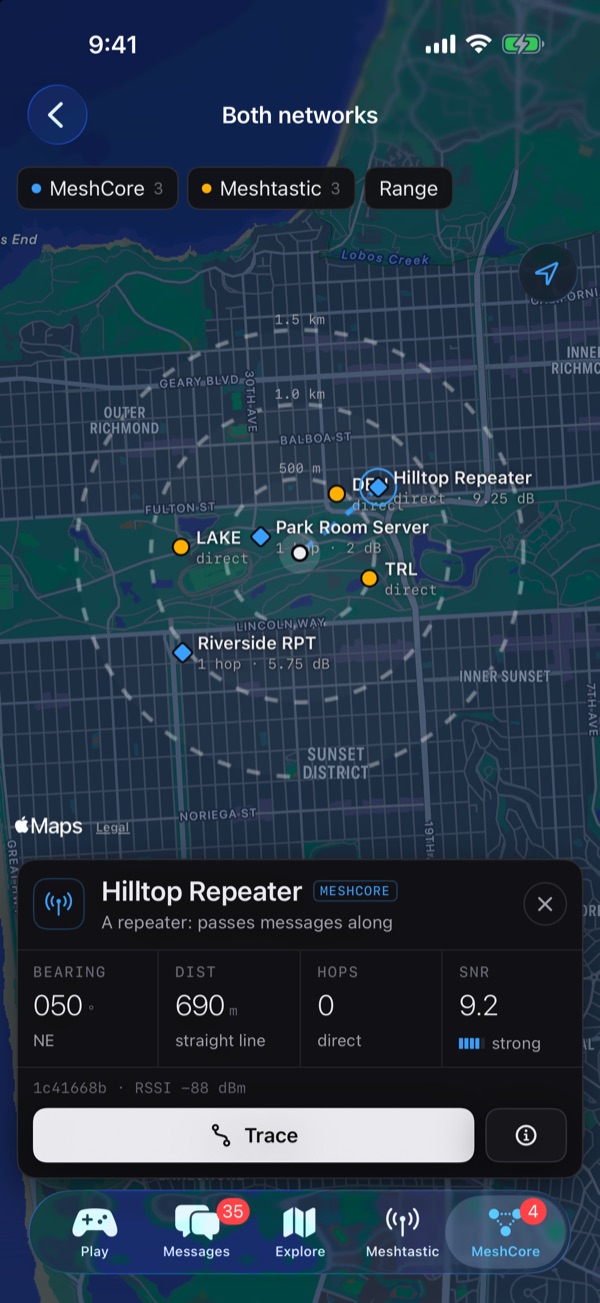
Connect a Meshtastic node and a MeshCore node at the same time. Each network keeps its own colour, amber for Meshtastic and blue for MeshCore, so you always know which radio a message travels through.
03The bridge
The two networks can't hear each other. Wildcat can: pick one private Meshtastic channel and one private MeshCore channel, turn the bridge on, and your phone relays messages between them while both nodes are connected.
@name to reach one person privately on the other network. Their reply finds its way back.04Games outside
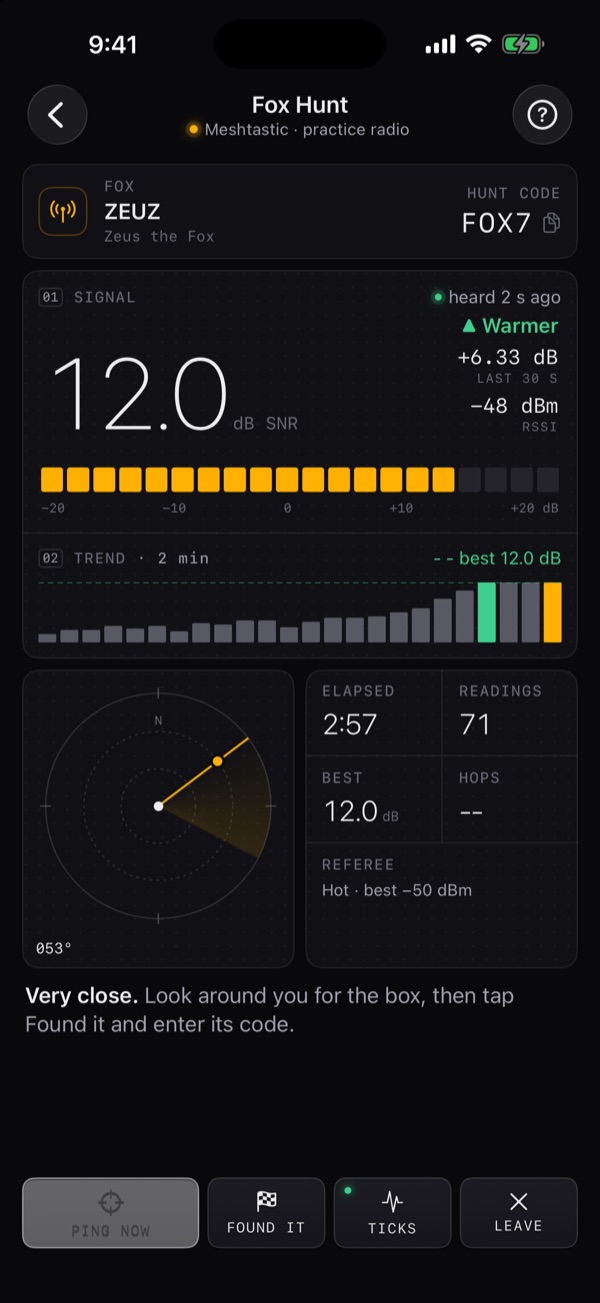
Fox Hunt is an old ham radio game: someone hides a radio, and everyone else finds it by its signal. The fox screen is a field instrument: a live signal meter, a two-minute trend, a bearing radar and haptic "Geiger" ticks that speed up as you get warmer.
05My Mesh
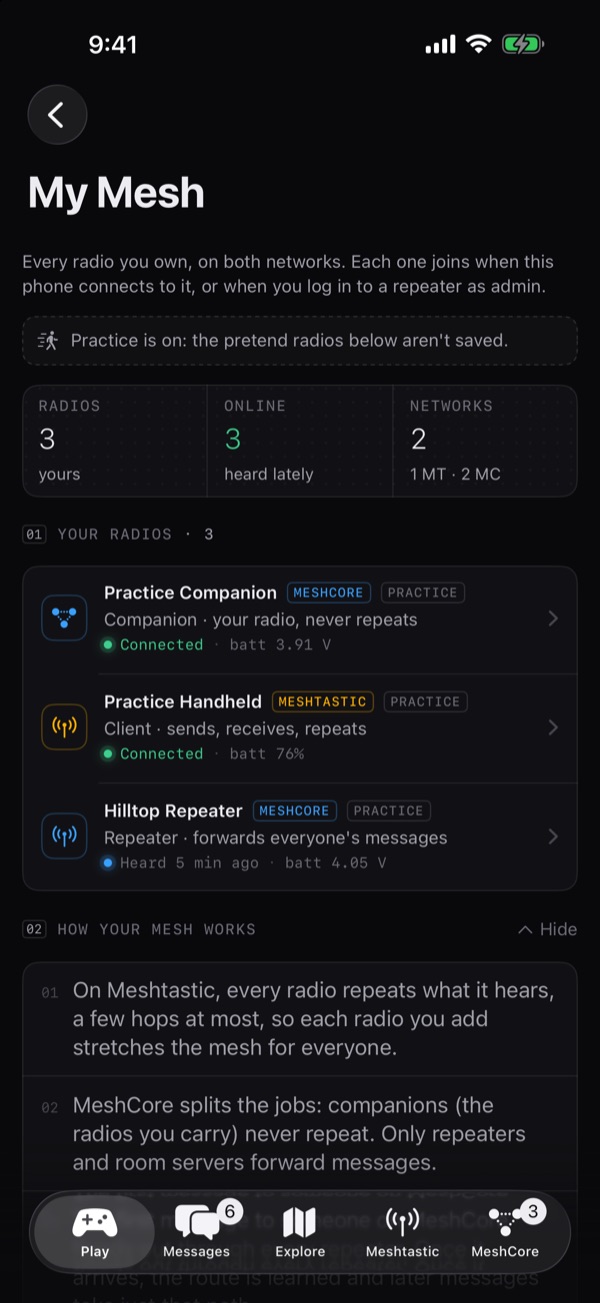
My Mesh lists your radios on both networks, whether each one is online, its battery, and what it actually does: "Companion · your radio, never repeats", "Repeater · forwards everyone's messages".
06Pro data
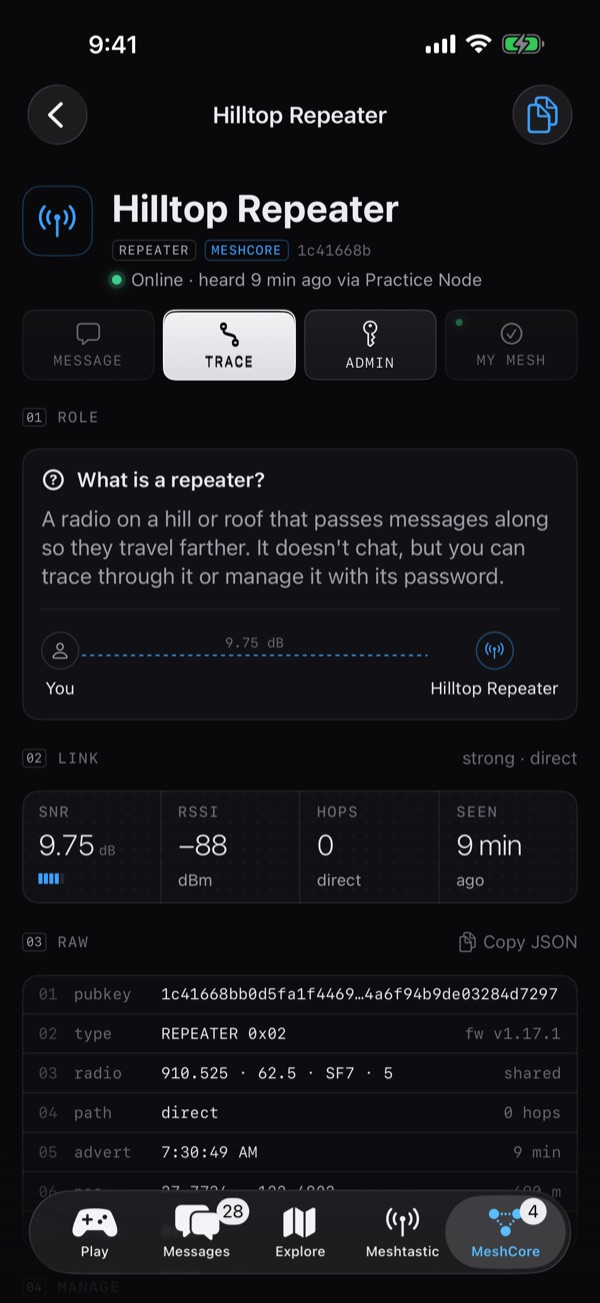
Every message carries its signal (SNR and RSSI), hop count and route. Long-press for the raw packet. Every node page ends in its raw fields, ready to copy.
07Private by design
Wildcat talks to your radios over Bluetooth, and your radios do the talking over the air. There is nothing of ours in between.
No sign-up, no login, no subscription, no ads.
Chats, contacts, gifts and settings live in the app. Secrets such as repeater passwords go in the Keychain.
No analytics or tracking. Location is used on the phone for games and never sent to us. Privacy policy
Block anyone on both networks, report by email, and a strong-language filter that's on by default.
08Practice mode
Tap Play → Practice. Wildcat starts a pretend Meshtastic radio and a pretend MeshCore radio that live on your phone, with made-up nodes, chats, repeaters and a fox to hunt. Nothing is transmitted.
4821.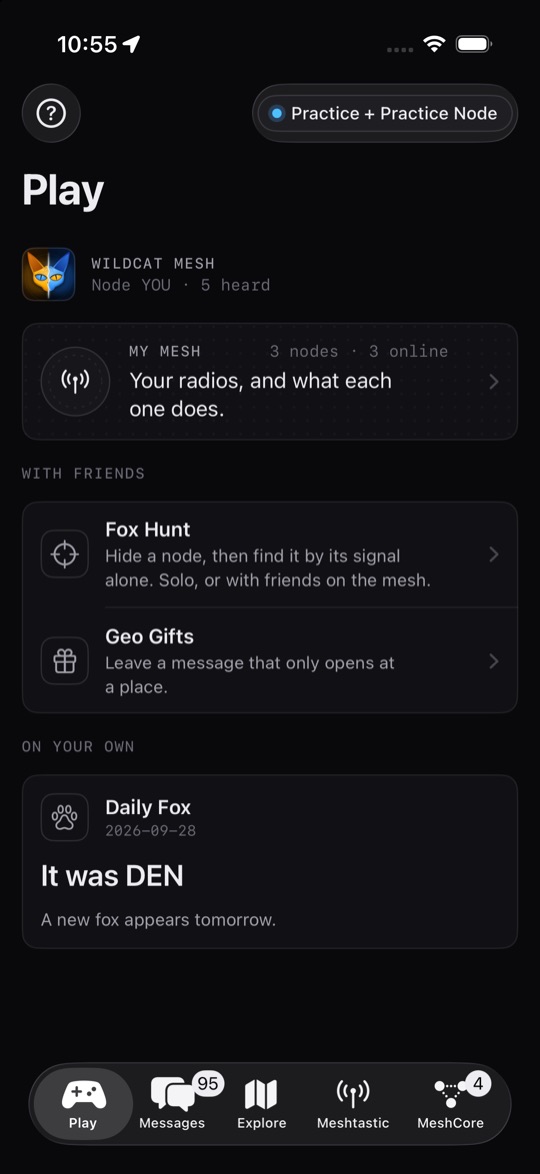
09Quick start
123456.The user guide covers every tab, the bridge, Fox Hunt, repeater admin and troubleshooting. The same guide is built into the app and works offline: tap ? on the Play tab, or Meshtastic → Guide.
10FAQ
Both are LoRa mesh networks for text messages without cell service. On Meshtastic, every radio helps pass messages along. On MeshCore, the radio you carry never repeats; dedicated repeaters do. The two can't hear each other, which is why Wildcat speaks both. See The networks above, or the official sites: meshtastic.org and meshcore.io.
Meshtastic nodes with Bluetooth (Heltec, RAK, Seeed, LilyGO and others), and MeshCore nodes running the Companion (Bluetooth) firmware. You can connect one of each at the same time. MeshCore repeaters and room servers have no phone Bluetooth; they appear in your contacts once your node hears them, and you manage them over the air.
Shopping for one? Each project keeps its own list: Meshtastic devices, and the boards in the MeshCore flasher.
Not in the US. Meshtastic and MeshCore radios there use the license-free 915 MHz band (902–928 MHz). Set your radio to your correct region; Wildcat asks for it when you set up a new Meshtastic node. Outside the US, check your own country's rules.
Yes. There is no account, no subscription and no advertising.
No account, and no internet for messages: they go radio to radio over the air, so Wildcat works where there are no signal bars. Maps use Apple Maps, so new map areas load when you have a connection.
Nothing goes to us: no analytics, no tracking, and no servers of ours. What leaves your phone is what your radio sends over the mesh: your messages (anyone on a channel can read it, and everyone nearby can read Public; private channels are encrypted by the radio), your position only if you choose to set your radio's position, and Geo Gift hints and "opened" receipts. Reports go only if you send the email. The privacy policy has the details.
Yes, just not at the same moment. A node talks to one phone app at a time, so close the other app (on your phone, and on your Mac for MeshCore) before connecting in Wildcat.
Your phone relays one private Meshtastic channel and one private MeshCore channel to each other while Wildcat is open and both radios are connected. No internet is involved. Public channels can't be bridged. Start a message with @name to reach someone privately on the other network.
A channel is a name plus a shared key. Your radio can only read channels you've added; everyone shares Public. Friends can share a channel with you as a QR code or link.
No. Every game works with just phones and nodes. The Den is an optional base station. Den Lite turns a node that stays at home into one, right in the app. The full Den software for a Raspberry Pi, with always-on history, coverage maps and refereed hunts, isn't public yet.
Bluetooth stays active in the background only to keep your radios connected, so messages keep arriving and notify you. The bridge and coverage walks need Wildcat open.
It uses it on your iPhone, only while you're using the app, for Fox Hunt, Daily Fox, Territory, Geo Gifts, coverage walks and, if you choose, setting your radio's position. It is never sent to us. See the privacy policy.
11Support
Questions, bugs or feedback? Email me. Please include your iPhone model, iOS version, and which radio and firmware you use.
redthoroughbreds@gmail.comLong-press any message and choose Report… and Wildcat fills in an email to the address above for you to send; messages travel radio to radio with no server, so reports go by email from your phone.
Choose Block from the same menu to hide someone on both networks: no messages, no notifications, and the bridge won't relay them. Unblock any time in Meshtastic → Safety.
Wildcat Mesh is free on iPhone. No radio yet? Practice mode lets you try every screen first.